How to save and share a No Man's Sky portal address
How to keep a No Man's Sky portal address for later, find a system you already visited, and share a destination on Discord, X or Bluesky with a single link.
Share it: a link is enough
Every system has its own link on this site: the galaxy number, a dash, then the twelve glyphs.
https://glyphs.had.sh/1-1157CE589C1E
Paste it in your Discord, on X, Bluesky, Reddit, Mastodon or in a message: that is all. The link unfolds by itself into a card like this one:
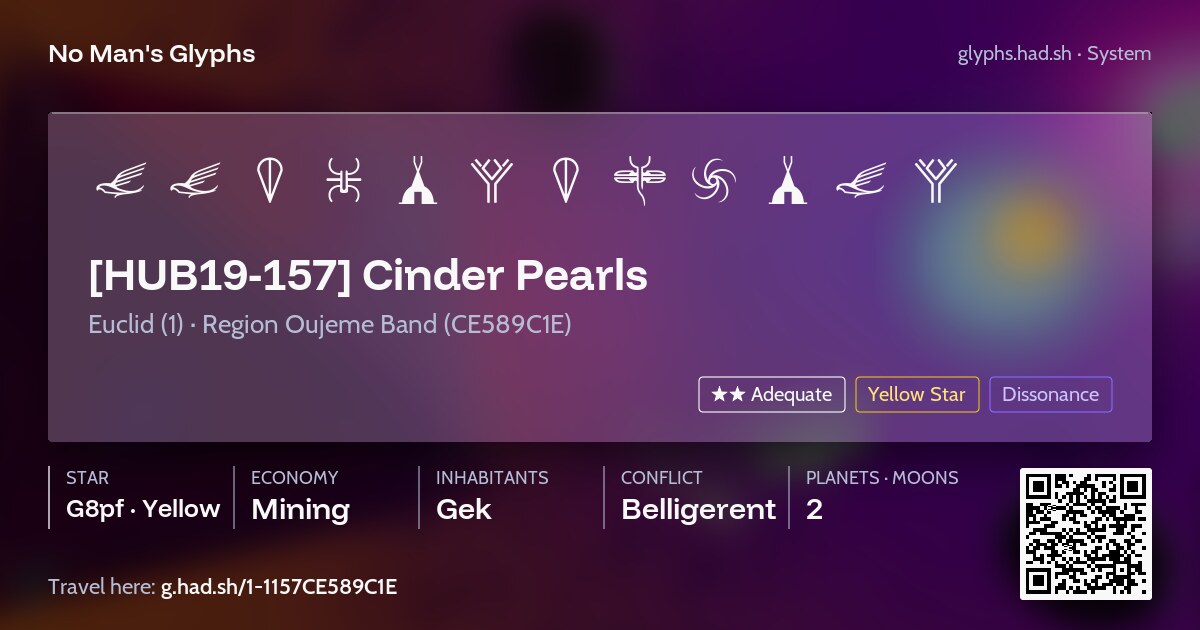
On the card:
- the twelve glyphs, drawn as on the portal, ready to dial;
- the name of the system, its galaxy and its region;
- the star, the economy, the inhabitants, the conflict level and the number of planets;
- a QR code and the short link
g.had.sh/1-1157CE589C1E, to open it on a phone.
Whoever opens the link lands on the system page, with the same glyphs and all the details. No account, no app, and the link carries no tracking.
Get the link
- From the address bar: type
glyphs.had.sh/, the galaxy number, a dash and the twelve glyphs. See Use direct URL. - From the portal decoder of your galaxy: click the glyphs or paste a code, then copy the page's link.
- From a system page: the Share button opens your device's share menu, or copies the link.
Do not have the glyphs yet? See Find my address.
Before you share
- Say which galaxy. The link says it for you, plain glyphs do not. See Which galaxy am I in?
- Check the first glyph. It is the planet, from 1 to 6. With another one, your friends land in the right system, on another world.
Keep it for later
My Glyphs keeps your places in your browser, with no account:
- Bookmarks: bookmark a system from its page, and find it again in one click.
- Travel log: every address you open on this site is noted, so a system you looked up last week is still there.
- Export: save everything as a file, and import it on another device.
Nothing of it is sent to us. See My Glyphs.
In the game, take a screenshot in photo mode with your platform's own button: the glyphs show in a corner of the screen, and the picture keeps them.
Share it with everyone
A link reaches the people you send it to. To put a system in the atlas for every explorer, with your name on it, contribute it.
Last updated: 1 November 2026